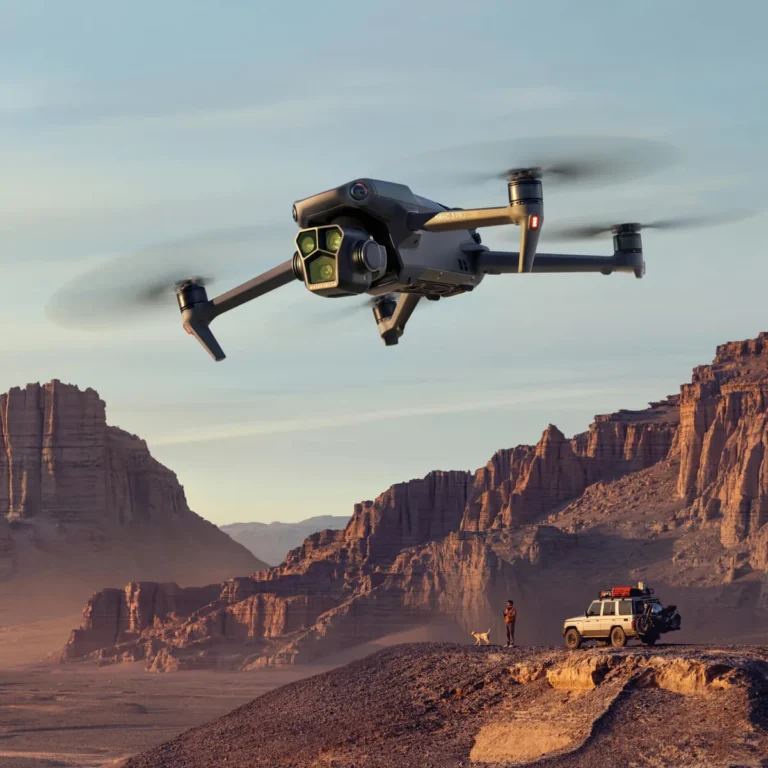
What Resolution Should I Use for Drone Videography?
Picking the right resolution for your drone videos can feel a bit overwhelming, but it’s less about finding the “best” setting and more about finding the right setting for your specific needs. If you've ever wondered, "What resolution should I use for drone videography?", you're in the right place. We’re going to break down what each setting means and how to choose wisely.
Manufacturer specifications confirm that most modern drones can shoot in 4K, which offers a significant jump in detail over 1080p (Full HD). However, understanding the impact on file size and editing power is crucial for a smooth workflow. Let's figure out what resolution makes the most sense for your next aerial project.
Quick Answer
For most drone videography, 4K (3840 x 2160) is the ideal resolution. It balances high detail with manageable file sizes for editing and online sharing. If only posting to social media or using older equipment, 1080p (1920 x 1080) is sufficient.
Higher resolutions like 5.7K offer more editing flexibility but demand greater resources.
Picking Your Drone Video Resolution: It's About Where It's Going
The resolution you choose for your drone videos isn't just a technical setting; it's a decision driven by where your footage will ultimately be seen and how you plan to use it. Think of it like printing a photo: a small Instagram snapshot doesn't need the same pixel density as a large canvas print. This principle holds true for video, especially with the increasing capabilities of drone cameras.
Understanding the implications of different resolutions, from common 1080p to the sharp details of 4K and beyond, will save you editing headaches and ensure your final product looks its absolute best. We'll guide you through the decision-making process, helping you avoid common pitfalls.
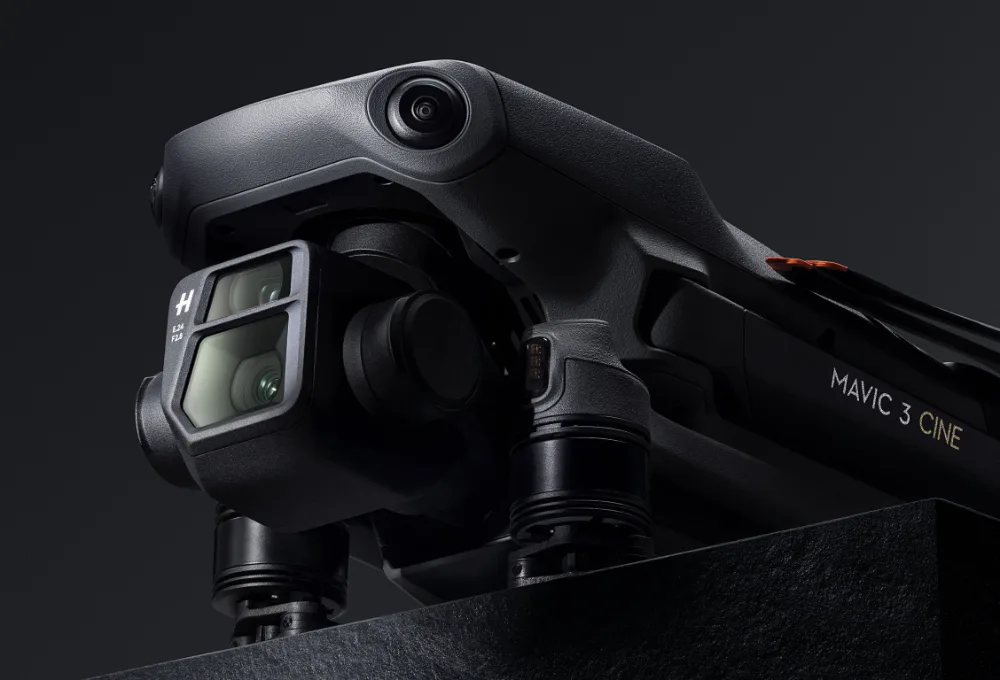
Image source: Bing (Web (fair-use with source credit))
What Resolution Means for Your Drone Footage
Resolution in video refers to the number of pixels that make up each frame. More pixels generally mean a sharper, more detailed image, but also a larger file size and a greater demand on your computer's processing power. It’s a balance between visual fidelity and practical workflow management.
Why More Pixels Aren't Always Better (Yet)
While higher resolutions offer stunning detail, they come with significant trade-offs. Shooting at 5.7K, for instance, creates massive files that can quickly fill up your drone's memory card and your computer’s hard drive. Editing 5.7K footage, especially on a less powerful machine, can lead to frustratingly slow playback, dropped frames, and extremely long export times.
Aggregate user reviews often highlight that unless you specifically need the extreme detail for cropping or future-proofing, the added strain might not be worth it.
Resolution Specs Explained: 1080p, 4K, 5.7K and Beyond
Let's look at the common resolution numbers and what they mean in terms of raw pixel data. These specifications are readily available on manufacturer websites, guiding pilots on their camera's capabilities.
- 1080p (Full HD): This resolution is 1920 pixels wide by 1080 pixels tall, totaling just over 2 million pixels per frame. It’s been the standard for high definition for years and is still perfectly adequate for many uses.
- 4K (UHD): Standing for approximately 4000 pixels wide, 4K UHD is actually 3840 pixels wide by 2160 pixels tall. This gives you over 8 million pixels per frame, about four times the detail of 1080p.
- 5.7K / 6K: Some higher-end drones can capture footage at resolutions like 5760 x 3240 pixels (5.7K) or even higher. These resolutions offer immense detail, providing a significant advantage for professional post-production work.
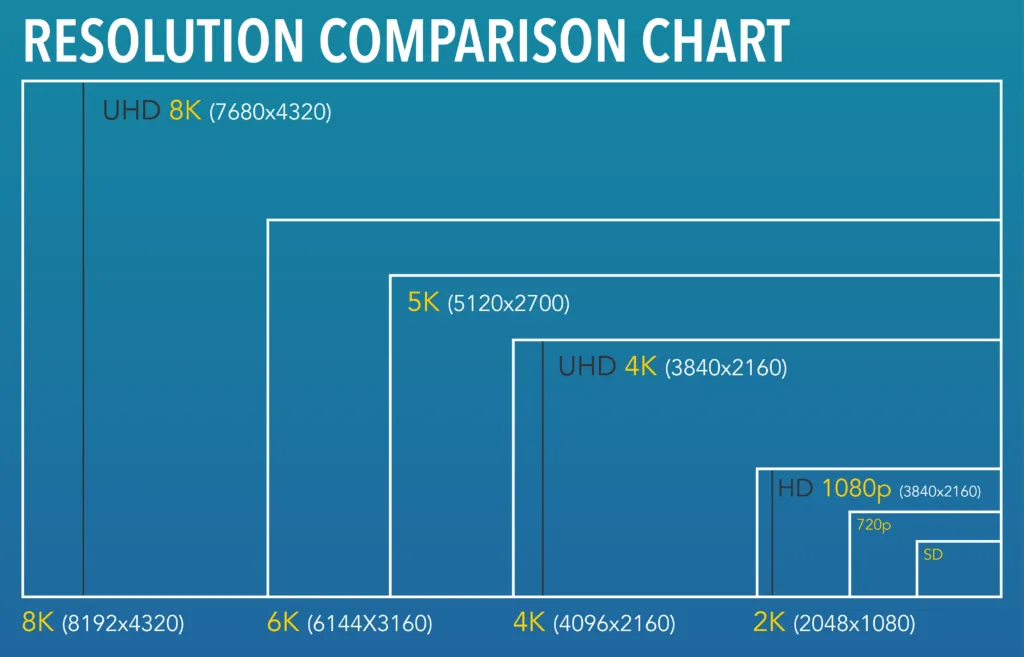
Image source: Bing (Web (fair-use with source credit))
Your Drone Video Resolution Decision Tree
Deciding on the right resolution is like navigating a flowchart. You ask a series of questions about your project, your gear, and your capabilities, and each answer points you closer to the optimal choice. This workflow ensures you're not just picking a setting, but making an informed decision for your specific situation.
Step 1: Where Will Your Video Live? (The Destination Matters)
The primary factor determining your resolution should be the final viewing platform. If your footage is destined for social media feeds like Instagram Reels or TikTok, which often compress video heavily, shooting in 1080p is usually sufficient. For platforms like YouTube or Vimeo where viewers might watch on larger screens, 4K is highly recommended to preserve detail.
For professional broadcast or cinema, the highest resolution your drone supports, often 4K or higher, is typically required.
Step 2: What Can Your Drone Actually Shoot?
This is a fundamental technical constraint. Newer and higher-end drones commonly offer 4K recording, and some premium models even push into 5.7K or 6K. Older or entry-level drones might be limited to 1080p.
Always check your specific drone model's camera specifications on the manufacturer's website; for instance, DJI's product pages detail the maximum resolution and frame rates for each drone.
Step 3: How Powerful is Your Editing Computer?
Editing high-resolution video demands significant computing resources. If you have a robust workstation with a fast processor, ample RAM, and a dedicated graphics card, you can comfortably handle 4K or even higher resolutions. However, if your computer is older or struggles with basic video editing tasks, attempting to edit 4K footage can lead to a frustratingly slow and choppy experience, with dropped frames and long processing times.
For those users, 1080p often provides a much smoother workflow.
Step 4: What Are Your Project Goals and Constraints?
Consider the practicalities of your project. If you need to be able to heavily zoom into shots in post-production, or if the footage needs to be future-proofed for potential re-editing years down the line, shooting at a higher resolution (like 5.7K) is beneficial. Conversely, if storage space is limited, or if export times need to be minimized for a tight deadline, opting for a lower resolution like 4K or even 1080p becomes a more practical choice.
When 1080p (Full HD) is Your Best Friend
If you're just starting with drone videography, or if your primary output is for platforms that heavily compress video, 1080p (1920 x 1080 pixels) is a fantastic and often overlooked option. Aggregate user feedback suggests that for casual social media sharing, the difference between 1080p and 4K might be imperceptible after platform compression. Choosing 1080p significantly reduces file sizes, which is a major win for storage capacity on your drone and computer, and it makes editing far more accessible.
This resolution is ideal if:
- You’re primarily posting short clips to social media platforms like Instagram or TikTok.
- You have a drone with a less powerful camera or an older model limited to 1080p.
- Your computer has limited processing power or RAM, making 4K editing slow or impossible.
- You need to keep file sizes as small as possible due to storage limitations.
- You prioritize a smooth, fast editing workflow over maximum visual detail.
Why 4K is Usually the Sweet Spot for Drone Videos
For most drone pilots in 2026 and beyond, 4K (3840 x 2160 pixels) represents the optimal balance between incredible detail and practical usability. Manufacturer specifications consistently highlight 4K as a standard feature on mid-range to professional drones. This resolution provides roughly eight million pixels per frame, offering a substantial upgrade in clarity and sharpness compared to 1080p, which has just over two million pixels.
Image source: Bing (Web (fair-use with source credit))
Shooting in 4K allows your footage to look stunning on modern televisions and computer monitors, and platforms like YouTube are optimized for 4K viewing. It also provides a degree of flexibility in post-production, enabling you to crop or zoom into your footage slightly without a drastic loss of quality. This makes it the go-to choice for travel videos, real estate showcases, and general-purpose aerial filming that aims for a professional polish.
It requires a reasonably capable computer for editing but is generally manageable for most creators.
Going Pro: When to Shoot in 5.7K or Higher
For those pushing the boundaries of drone videography, shooting in resolutions beyond 4K, such as 5.7K or even 6K, offers unparalleled creative control and a significant quality advantage. Manufacturer specifications on higher-end models like the DJI Inspire series or certain Autel Robotics drones often include these ultra-high resolutions. This isn't just about bragging rights; it’s about future-proofing your footage and maximizing your ability to manipulate it in post-production.
This level of detail is crucial if you anticipate needing to punch in on your shots or if your work is intended for very large displays or demanding professional contexts. For example, when producing footage for a major documentary or a high-budget commercial, the ability to crop heavily into a 5.7K frame and still retain 4K-level quality is invaluable. It allows for reframing without the pixelation that would occur if you started with a lower resolution.
Consider these scenarios where higher resolutions shine:
- Extreme Cropping: You shot a wide landscape but later decide to focus tightly on a distant subject.
- Digital Stabilization: Applying heavy stabilization in editing can sometimes soften an image; starting with more pixels helps mitigate this.
- Future-Proofing: Archiving footage at the highest possible resolution ensures it remains relevant and usable for years to come, even as display technology advances.
- High-End Deliverables: Projects requiring 4K delivery but originating from 5.7K or 6K footage allow for superior downscaling, often resulting in a cleaner final image than native 4K.
Common Resolution Mistakes Drone Pilots Make
Even with powerful drones, making the wrong resolution choice can hinder your workflow or compromise your footage. A frequent oversight is shooting everything in the highest possible resolution without considering the final output or editing capabilities. This often leads to unmanageable file sizes and computers that struggle to keep up during editing.
For instance, a pilot shooting hours of 6K footage for a casual YouTube video will likely face significant storage issues and editing frustrations.
Another mistake is not understanding platform compression. Posting 4K footage to platforms that immediately downscale it to 1080p without any benefit to the viewer. Conversely, shooting everything in 1080p for a project intended for a large cinema screen would result in a visibly soft and unprofessional image.
The key is matching the resolution to the intended destination and your editing resources, as confirmed by numerous user forums and expert analyses.
Here are a few pitfalls to watch out for:
- Over-shooting: Always shooting in the absolute highest resolution your drone offers, regardless of need.
- Under-shooting: Using 1080p for projects that would clearly benefit from 4K detail.
- Ignoring Editing Power: Attempting to edit 5.7K or 6K footage on a laptop not equipped for it.
- Forgetting File Size: Not accounting for the massive storage requirements of ultra-high-resolution video.
- Misjudging Compression: Assuming higher native resolution will always look best after social media or streaming platform compression.
Frequently Asked Questions About Drone Video Resolution
What's the best resolution for Instagram Reels or TikTok?
For platforms like Instagram Reels and TikTok, 1080p (1920 x 1080) is typically sufficient. These platforms heavily compress video, meaning much of the extra detail from 4K or higher resolutions may be lost. Choosing 1080p saves storage space and speeds up your editing and upload process.
Can I shoot in 4K and export in 1080p?
Yes, absolutely. Shooting in 4K and then exporting to 1080p is a common practice. This allows you to crop into your footage in post-production or apply digital stabilization without a significant loss of quality, resulting in a cleaner 1080p final product than if you had shot in 1080p originally.
How much storage space does 4K drone footage take up?
This varies greatly depending on the drone's codec, bitrate, and frame rate, but 4K footage takes up significantly more space than 1080p. A rough estimate is that 4K footage can consume 2-3 times the storage space of 1080p footage per minute. For example, shooting continuously at 100 Mbps in 4K could use approximately 750 MB per minute, whereas 1080p at a similar bitrate might use around 250 MB per minute.
Always check your drone’s specific recording specs.
Does shooting in 4K make my drone battery drain faster?
While the primary drain on drone batteries comes from flight time, motors, and GPS, the camera's processing and sensor usage for higher resolutions like 4K do consume slightly more power. The difference is generally minimal for most consumer drones but can be a factor during extended recording sessions. Manufacturer specifications provide battery life estimates for various flight modes, which indirectly reflect camera usage.